
Remove Text from Manga
AI removes dialogue, narration and sound effects. Choose whether to keep or remove speech bubbles. 4 credits per image. See ShowCase
Remove Text from Manga - Show Case
- Removes dialogue, narration and sound effects, both inside and outside speech bubbles.
- Keeps every speech bubble outline, panel border, screentone and character intact.
- Outputs the same size and aspect ratio as your original page, ready for re-lettering.
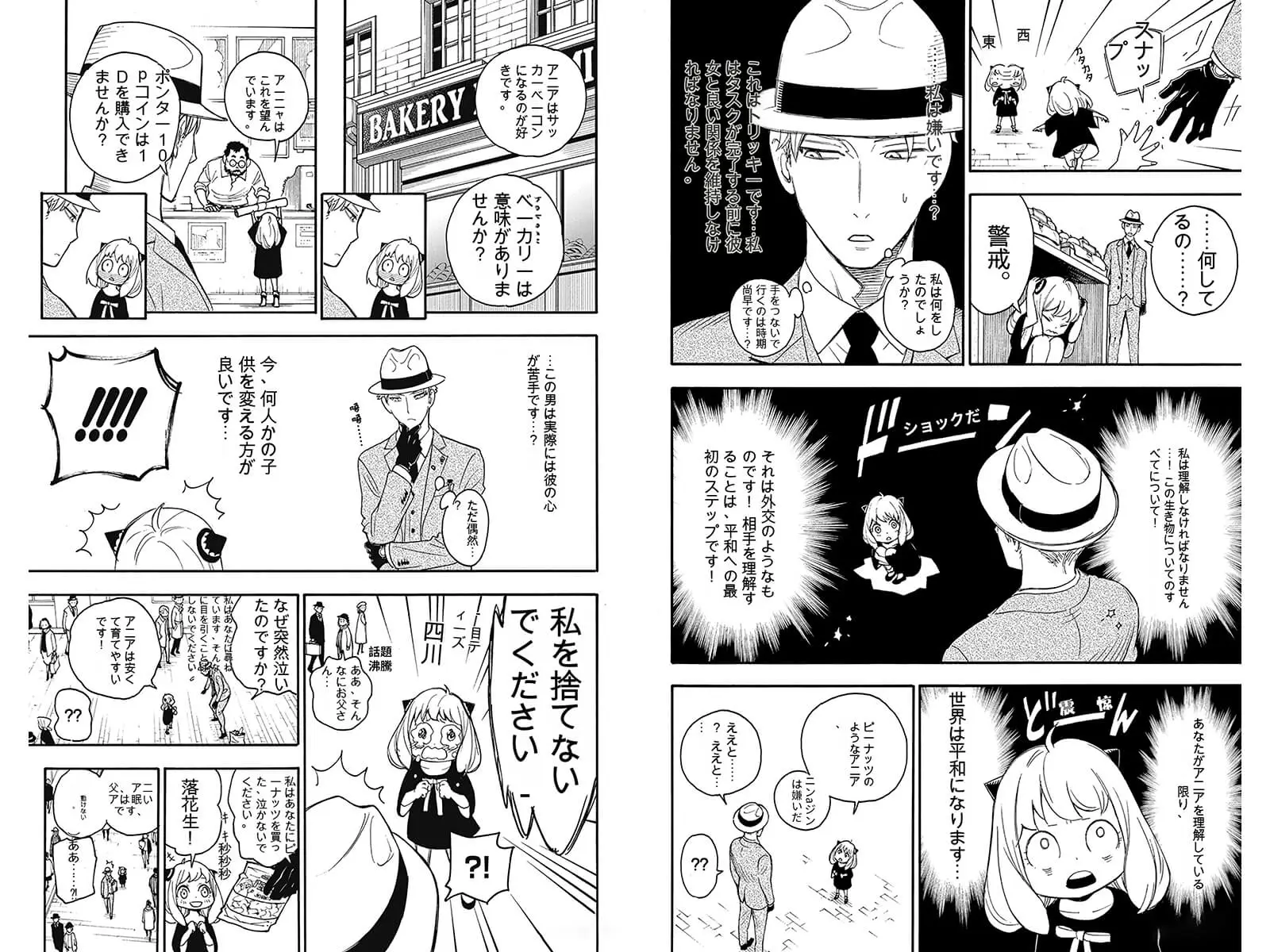
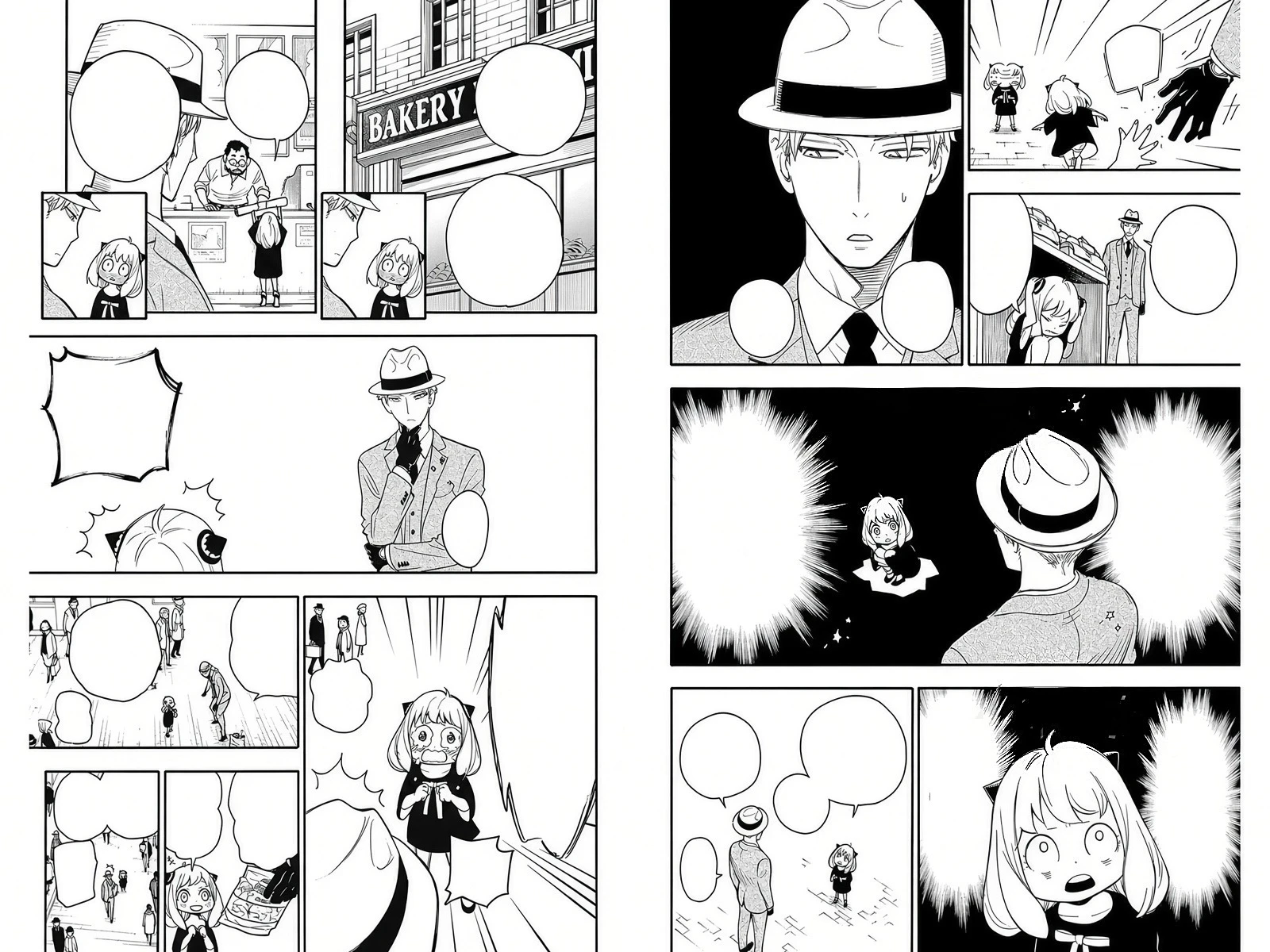
Drag the slider to compare Before and After. This example uses Keep bubbles mode; results vary and complex backgrounds may need review.
What does Remove Text from Manga do?
Remove Text from Manga is an online AI tool that erases dialogue, narration, sound effects and handwritten text from manga and manhwa pages. Choose Keep bubbles to get clean, empty speech bubbles for re-lettering, or Remove bubbles to also remove the bubbles and restore the artwork behind them. You can process up to 30 images per batch. It costs 4 credits per image and is available on paid plans.
Keep bubbles or remove bubbles?
Keep bubbles erases the text but leaves every speech bubble and caption box in place, filled with its plain background. Use it when you want to re-letter the page, for example after translating it into another language.
Remove bubbles erases the text and the speech bubbles and caption boxes together, then redraws the artwork that was behind them. Use it for clean art references, wallpapers, or a new layout where the original bubbles would get in the way.
How to remove text from a manga page
- Choose a mode. Select Keep bubbles or Remove bubbles in the Mode menu above the upload area. The mode applies to the whole batch.
- Upload your pages. Drag and drop or select up to 30 images, such as JPG, PNG or WEBP, each up to 3MB.
- Start processing. Pages are processed one by one. Each finished page appears right away, and you can preview it next to the original.
- Download. Download pages one at a time, use Download All, or turn on Auto Download to save each page as soon as it is ready.
What gets removed and what stays?
The tool removes:
- Dialogue and narration inside speech bubbles and caption boxes
- Sound effects (SFX) and handwritten text drawn over the artwork
- Text written directly on the artwork, without drawing a new box around it
- In Remove bubbles mode, the speech bubbles and caption boxes themselves
What is kept?
- Characters, line art, panel borders, screentone, shading and black areas
- Brand names and shop signs that are part of the scene
- In Keep bubbles mode, the shape, outline and tail of every bubble
- The original image size, aspect ratio and composition
Limits to know about
The AI redraws the areas under the text, so results are best on bubbles and simple backgrounds. Large text over detailed artwork, and the areas under removed bubbles, may not match the original exactly, and some nearby lines can be redrawn slightly. Check each page before you publish it.
AI text removal vs Photoshop vs PanelCleaner
There are three common ways to clean manga pages. This table compares how they work, not how fast or how accurate each one is.
| MangaTranslator.io | Photoshop (manual) | PanelCleaner | |
|---|---|---|---|
| Setup | None, runs in the browser | Install desktop software | Install desktop app |
| Batch processing | Up to 30 images per batch | One page at a time by hand | Built for cleaning many pages |
| Text outside bubbles and SFX | Removed | Possible by hand | Not removed |
| Redraws artwork under text | Yes | By hand | No |
| Manual work | Review the result | Most of the work | Review and fix |
| Cost model | Paid credits (4 per image) | Software subscription | Free, open source |
PanelCleaner details are based on its GitHub README, checked October 2026. PanelCleaner is a separate open-source project and is not affiliated with MangaTranslator.io.
Frequently asked questions
Do I need a paid plan to remove text?
Yes. Text removal is available on paid plans and costs 4 credits per image. The free plan includes manga translation but not text removal. See pricing for plans.
Am I charged if a page fails?
No. Credits are deducted only when a page is processed successfully. If a page fails or times out, it is not charged and you can retry it.
Will it keep screentone and line art?
It is designed to keep characters, line art, screentone and shading as they are. Areas that were covered by text are redrawn by the AI, so check pages with large text over detailed art.
Can I translate the cleaned page into another language?
Yes. Use Keep bubbles to get empty bubbles, then letter your own translation. If you want the translation done for you, the AI Manga Translator translates and typesets the page in one step.
Does the output keep the original size?
Yes. The cleaned page keeps the same size, aspect ratio and composition as the image you upload.